

Copy to Clipboard
Safety infoListing facts
- App name
- Copy to Clipboard
- Category
- Tools
- Developer
- Backslash-\t
- Price
- free
- Store region
- United States
- Source
- App listing
App screenshots

What This App Offers
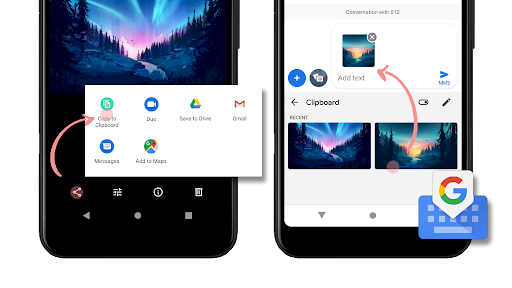
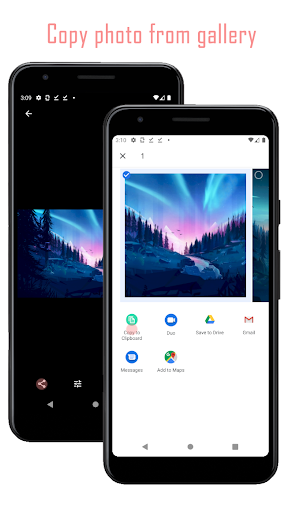
This app lets you copy photos from your gallery to the clipboard 🖼️. You can then paste them into other applications that support image input, like social media stories.
Key Tools
- Image Copier
- Easily select and copy pictures from your device's gallery, enabling quick sharing and reuse in various platforms that accept pasted images.
- Clipboard Integration
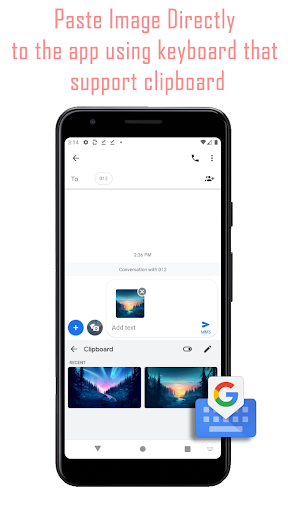
- Leverages the system clipboard to store copied images temporarily, allowing for seamless pasting into compatible applications without file transfers.
- Gboard Compatibility
- Works with Google Keyboard to facilitate pasting images directly into supported apps, overcoming limitations on adding multiple photos to posts.
Typical Uses
- Copy multiple photos to your clipboard.
- Paste images into social media stories.
- Share pictures without saving them again.
- Quickly transfer images between apps.
Who It Suits
- Users who frequently post to social media stories.
- Individuals looking for a faster way to share images.
- Those who need to paste images into apps that don't support direct file selection.
Final Assessment
This utility helps users copy images from their gallery to the clipboard for pasting into other applications. It is designed for those needing to insert multiple photos where direct uploads are cumbersome.