Microsoft PowerPoint
Safety infoListing facts
- App name
- Microsoft PowerPoint
- Category
- Productivity
- Developer
- Microsoft Corporation
- Price
- free
- Store region
- United States
- Source
- App listing
App screenshots



What This App Offers
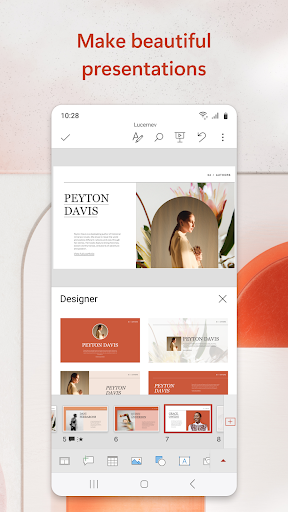
Microsoft PowerPoint enables users to create and edit presentations on the go. It's useful for quick updates to quarterly reports or sharing ideas with colleagues 💡.
Key Tools
- Slide Editor
- Easily modify text, images, and charts in your presentations, ensuring your message is clear for client meetings 📊.
- Presenter Coach
- Practice your speech and receive feedback on pacing and filler words, improving your confidence for important talks 🎤.
- Collaboration Features
- Work with others on the same file simultaneously, streamlining feedback and edits for team projects 🤝.
Typical Uses
- Create new slideshows from templates
- Edit existing presentation files
- Present slideshows directly from your device
- Share presentations with team members
Who It Suits
- Professionals needing to create business presentations
- Students preparing for class projects
- Anyone requiring a mobile solution for slide management
Final Assessment
This app provides mobile access to presentation creation and editing tools. It serves individuals who need to manage slideshows remotely, with functionality extending to collaboration and practice.